

Nous utilisons des cookies pour améliorer votre expérience utilisateur. Pour se conformer à la nouvelle directive concernant la vie privée, nous devons vous demander votre consentement pour définir des cookies. en savoir plus.
 Skip to Content
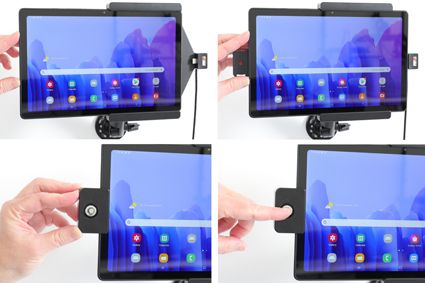
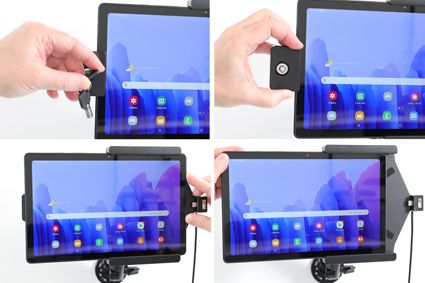
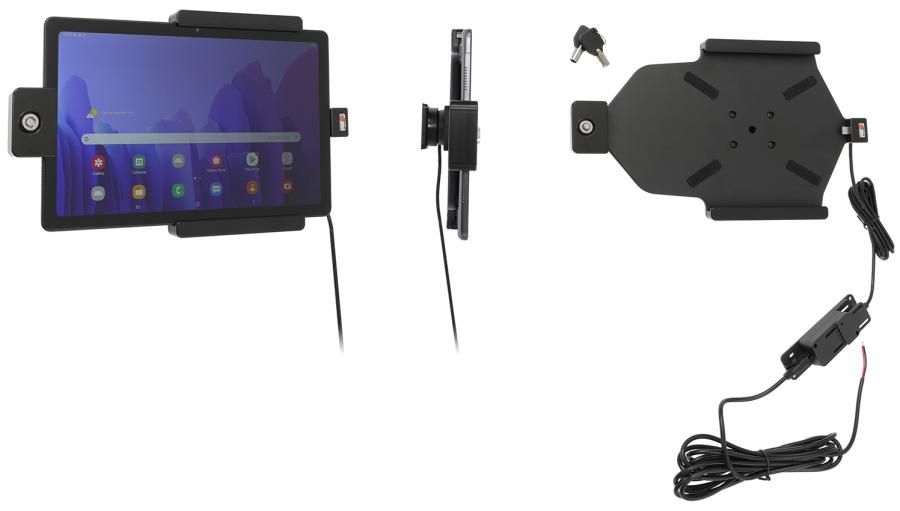
This holder is to be used when you will secure your device and still have it easy accessable. Perfect for use in stores, at exhibitions and any place where you want to use your device without having it easy removable. In order to remove the tablet from the holder you need the key or a certain amount of violence is required. The holder includes a lock and two keys.
For fixed installation. The holder is to be connected inside the dashboard, providing an elegant installation without any cables hanging over the interior. The charging box has two USB ports: QC 3.0A + 2.4A. Connect the power cable with a 2A fuse. Professional installation recommended.
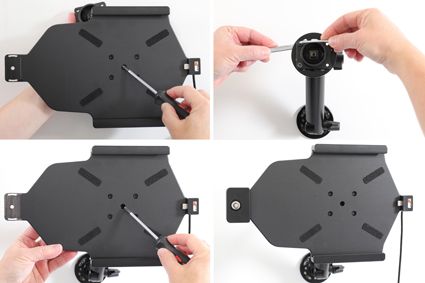
The holder is equipped with a tilt swivel so you can easily adjust the angle for better viewing. Tilts 17° and swivels 360°. Mounting plate 42x50 mm with 4 mm AMPS-holes. Made of high grade ABS/Acetal plastic. Color: black. Made in Sweden.
An installation of a tablet onto a vehicle’s dashboard is always done on the customer’s own responsibility. Brodit recommends to use tablets on a Pedestal mount or a Brodit headrest mount.
| Marque d'accessoire | Brodit |
|---|---|
| Barcode | 7320287362299 |
| Prix Public TTC | 129,95 € |
| Appareil avec ou sans étui | nee |
| Caractéristique du support | Toestelspecifiek |
| Cable / Qi / charger type / connnector | Molex, fixed install |
| Charger l'appareil via | usbC |
| Tension | 12V et 24V compatible |
| Voltage (output) | QC - QuickCharge |
| Max Amperage | 3,0 Amp |
| Montage standaard | AMPS |
| Verrouillable | oui avec serrure |
| Color | zwart |
| Info produit | Support professionnel avec rotule pour votre smartphone, système de navigation ou tablet. Plus de réflexions ennuyeuses par la possibilité de modifier l’inclinaison. |
| Item Returns | This item can be returned |